
Mobile and Mac apps, fast and polished.
Custom iPhone, Android and macOS apps: smooth, integrated with the system and a pleasure to use.


Native, local,
and subscription-free.
Mandarine, easy tools and conversions.
I wanted to convert or edit a file without opening an app, or sending my files and data to some website's server. With Mandarine, I have the ultimate tool, built for everything I need. For free.
Try it with the demo below.
Drag a file, then press ⇧, ⌘ or ⌃ without letting go.
45 formats
275 possible conversion combinations
27 tools
for editing photos, videos, audio and PDFs
100%
local, no files uploaded
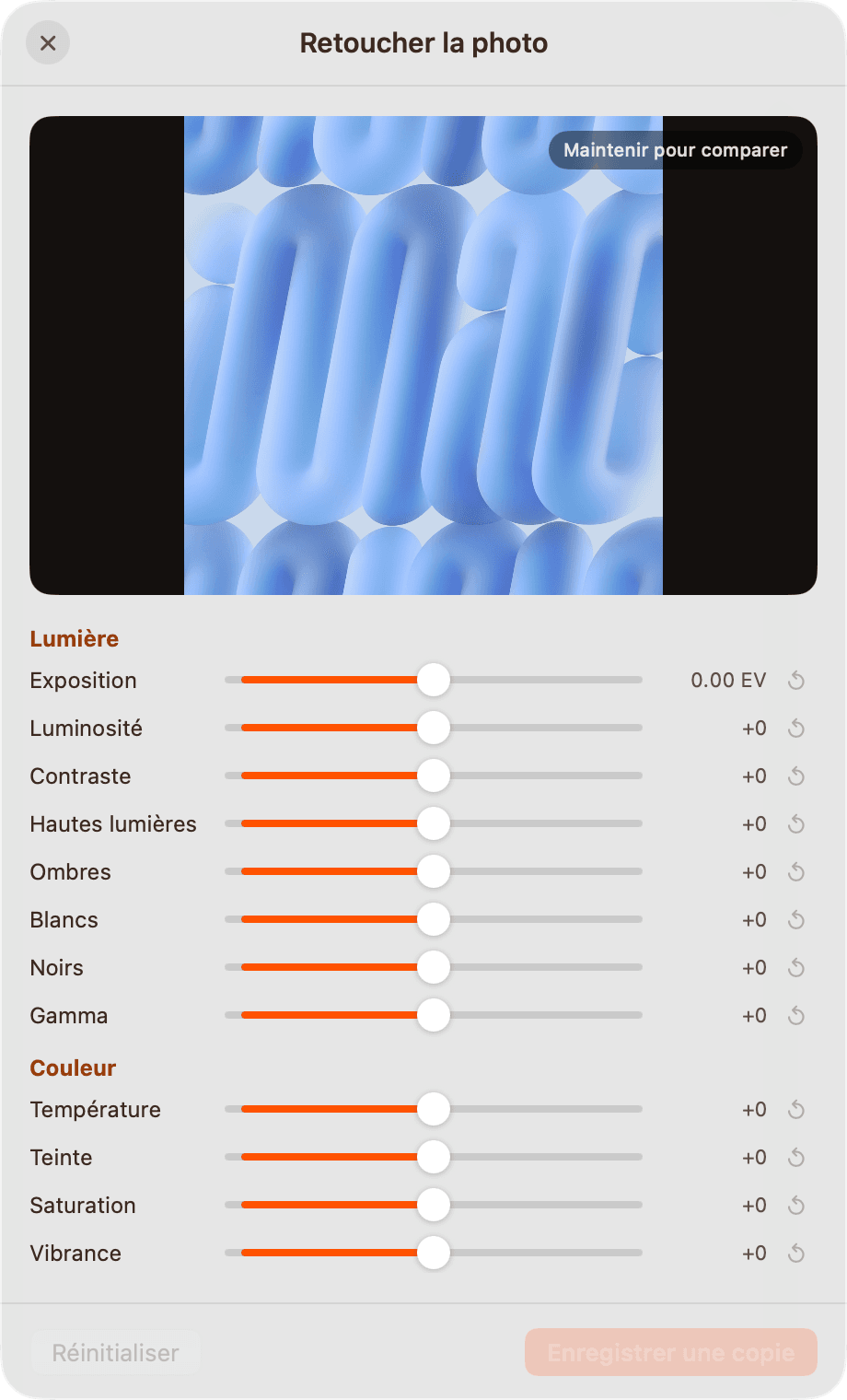
Retouch
Light, color, detail and effects, with a before/after comparison.
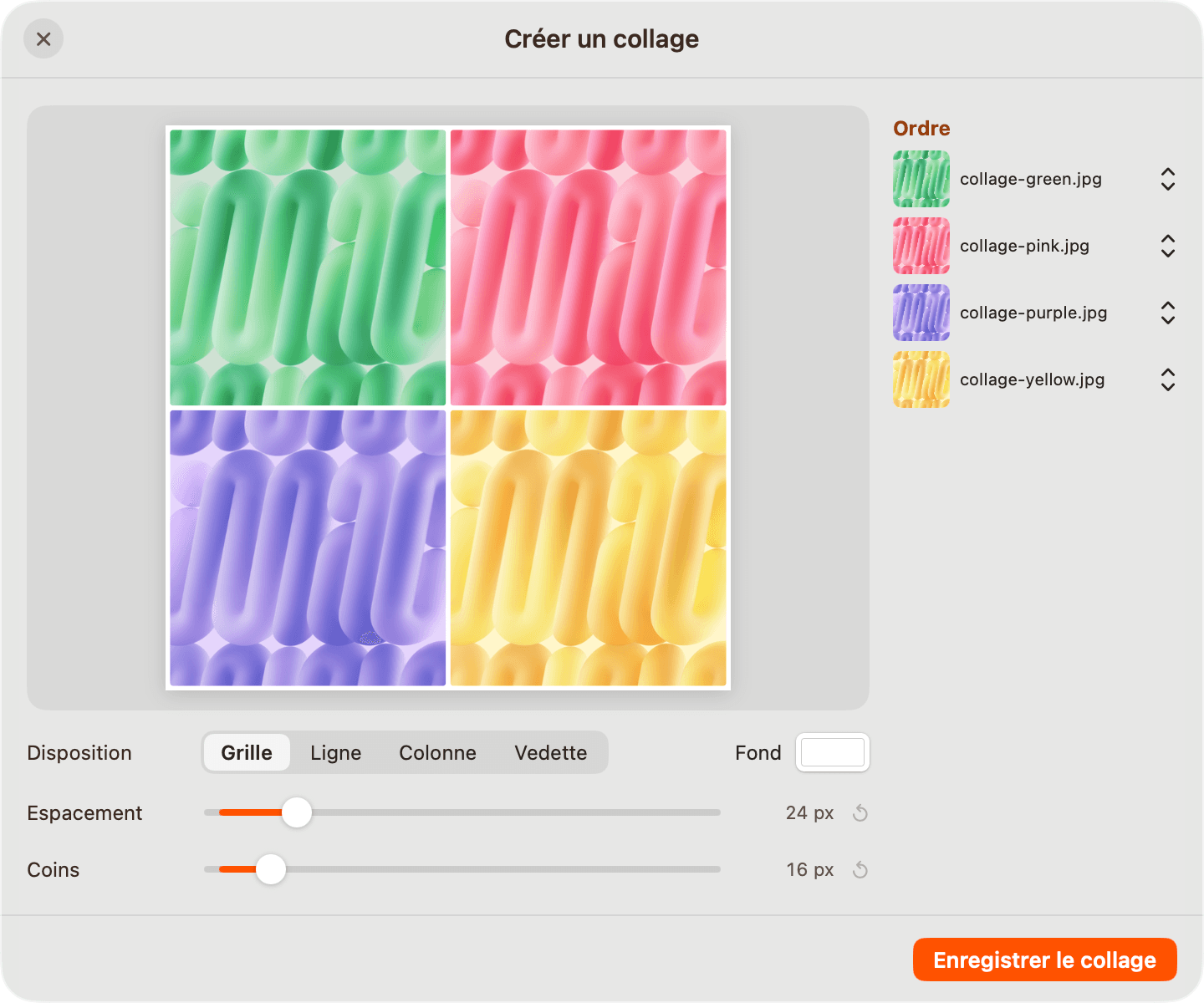
Make a collage
Grid, row, column or spotlight, with adjustable spacing and corners.
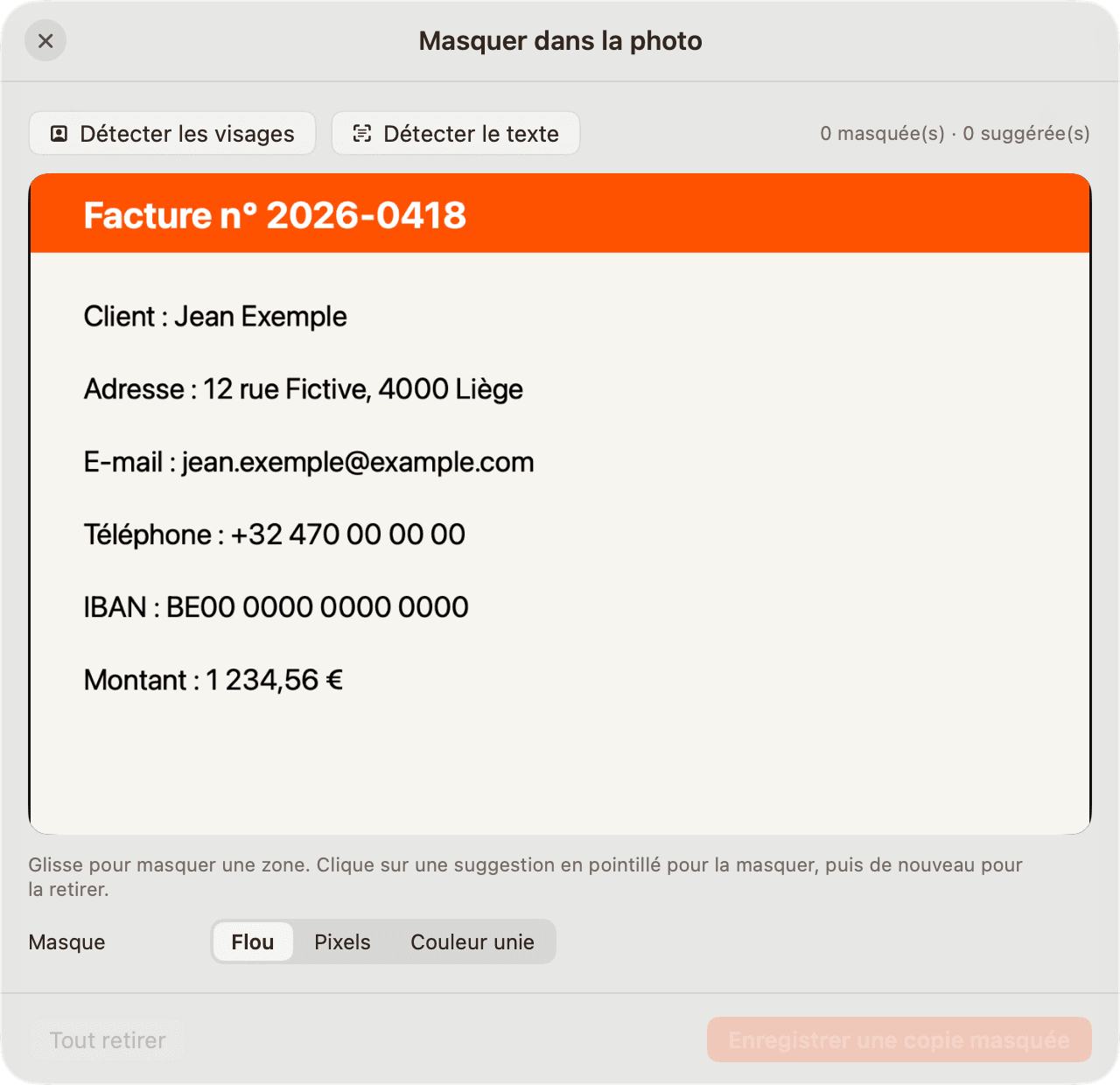
Redact
Faces and text detected on the Mac, blurred or pixelated in one click.
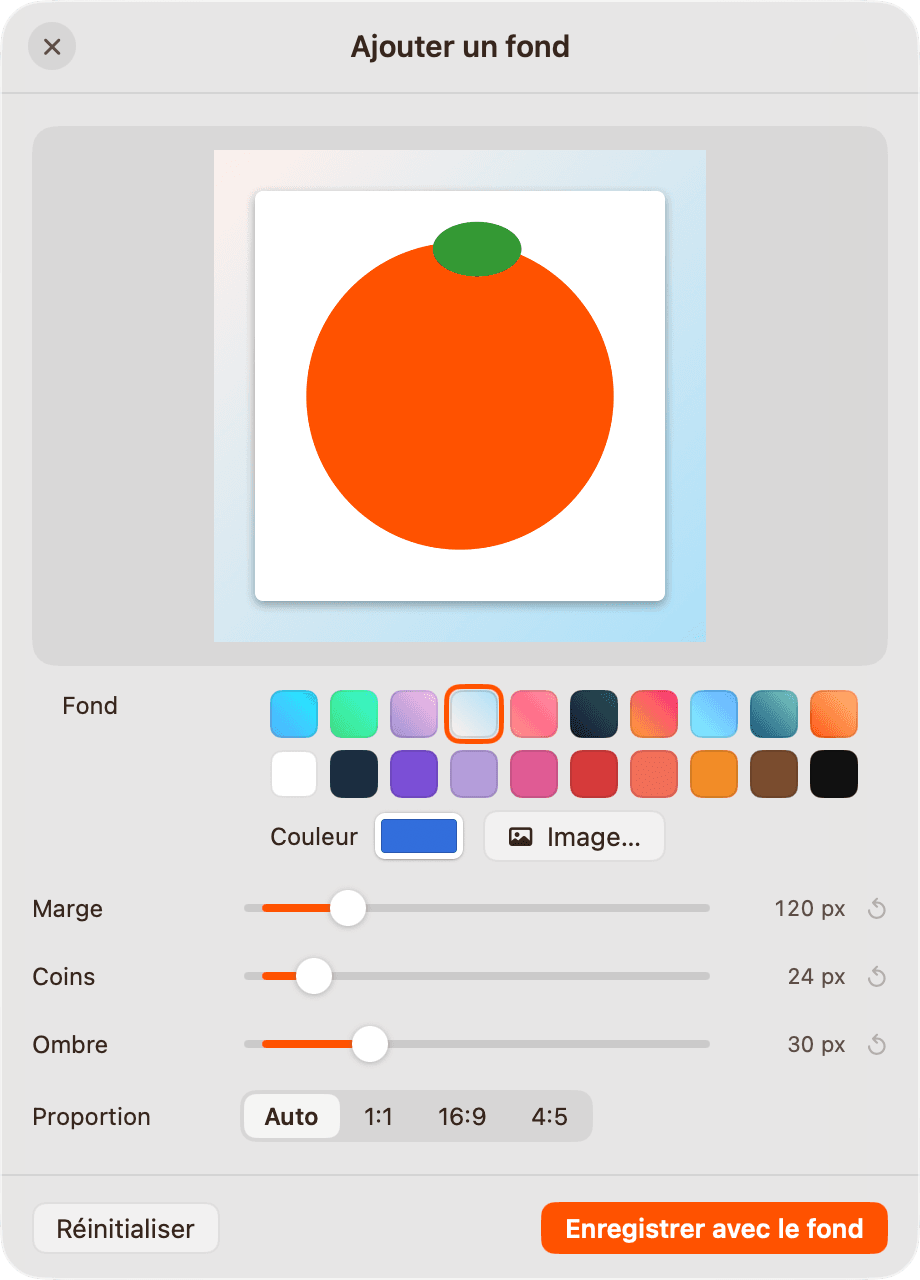
Add a backdrop
Gradients, colors or an image, plus margin, corners, shadow and aspect ratio.
And plenty more features.
Everything Mandarine can do.
The three wheels in detail: 275 conversions across 45 formats, 27 tools and 6 actions, all running locally on the Mac.
Convert
| Files | From | To |
|---|---|---|
| Images | JPGPNGWEBPHEICTIFFAVIFBMPSVG | JPGPNGWEBPHEICTIFFAVIFBMPPDFSVG as input only |
| Audio | MP3M4AWAVFLACOGGOPUSAIFFWMA | MP3M4AWAVFLACOGGOPUSAIFFWMA |
| Video | MP4MOVMKVWEBMAVIWMVGIF | MP4MOVMKVWEBMAVIWMVGIFMP3MP3 to extract the audio |
| DOCXPAGESPPTXXLSXJPGPNGEPUBTXTMDAll pages, images at 300 dpi | ||
| Documents | DOCXPAGESMDTXTRTFRTFDClippings | DOCXPAGESPDFTXTMDHTMLEPUBPNGJPGRTF, RTFD and clippings as input only |
| Presentations | PPTXPPT | PDFJPGPNGPPT as input only |
| Spreadsheets | XLSXODSCSVTSVXLS | XLSXODSCSVTSVPDFXLS as input only |
| Books | EPUB | PDFDOCXPAGESTXTMDHTML |
| Subtitles | SRTVTT | SRTVTTTXT |
| Archives | ZIPTARGZIPRAR | ZIPTARGZIPRAR as input only |
Tools
Photos
- CompressTarget size, percentage or presetMultiple files
- MetadataLocation, camera and author: edit or eraseMultiple files
- RetouchLight, color, detail and effects, before/after
- AnnotateArrows, shapes, text and numbered markers
- Remove backgroundCut out on the Mac, as a transparent PNGMultiple files
- Add a backdropColor, gradient or image, margin and corners
- CropFree aspect ratio or exact dimensionsMultiple files
- RedactFaces and text detected, blurred or covered
- Create a PDFOne page per image, mixed formatsMultiple files
- Make a collageGrid, row, column or spotlightMultiple files
Videos
- CompressA lighter video, same formatMultiple files
- MetadataStrip the file's informationMultiple files
- Remove audioThe same video, silentMultiple files
- TrimPrecise cuts, with selection playback
- CropChange the framing and aspect ratio
- Change speedSpeed up or slow down
- CombineJoin several videos end to endMultiple files
- SnapshotsExtract stills from the video
- SplitCut into several clips
- RedactBlur areas for the whole duration
Audio
- CompressA lighter fileMultiple files
- MetadataStrip the file's informationMultiple files
- NormalizeEven volume, without clippingMultiple files
- VisualizerAn animated video from the audio
- TrimKeep just the part you want
- ChannelsStereo to mono, and back
- BleepCover a passage with a bleep
PDFs and archives
- CompressA lighter PDF; a folder becomes a ZIPMultiple files
- MetadataStrip the file's informationMultiple files
- SplitOne page per file, in a folderMultiple files
- OrganizeReorder, rotate, duplicate or delete
- MergeSeveral PDFs into one, in the order you chooseMultiple files
- ExtractOpen an archive into a folderMultiple files
Actions
- AirDropShare with the macOS device picker
- FloatKeep the file on a shelf at the edge of the screen
- CopyReady to paste in the Finder
- MovePick a folder and move the original there
- PathCopy the full path, one per line
- TerminalOpen the folder in Terminal or iTerm2
For all files and folders, including those with no conversion or tool.
Cleaner, simple and safe cleanup.
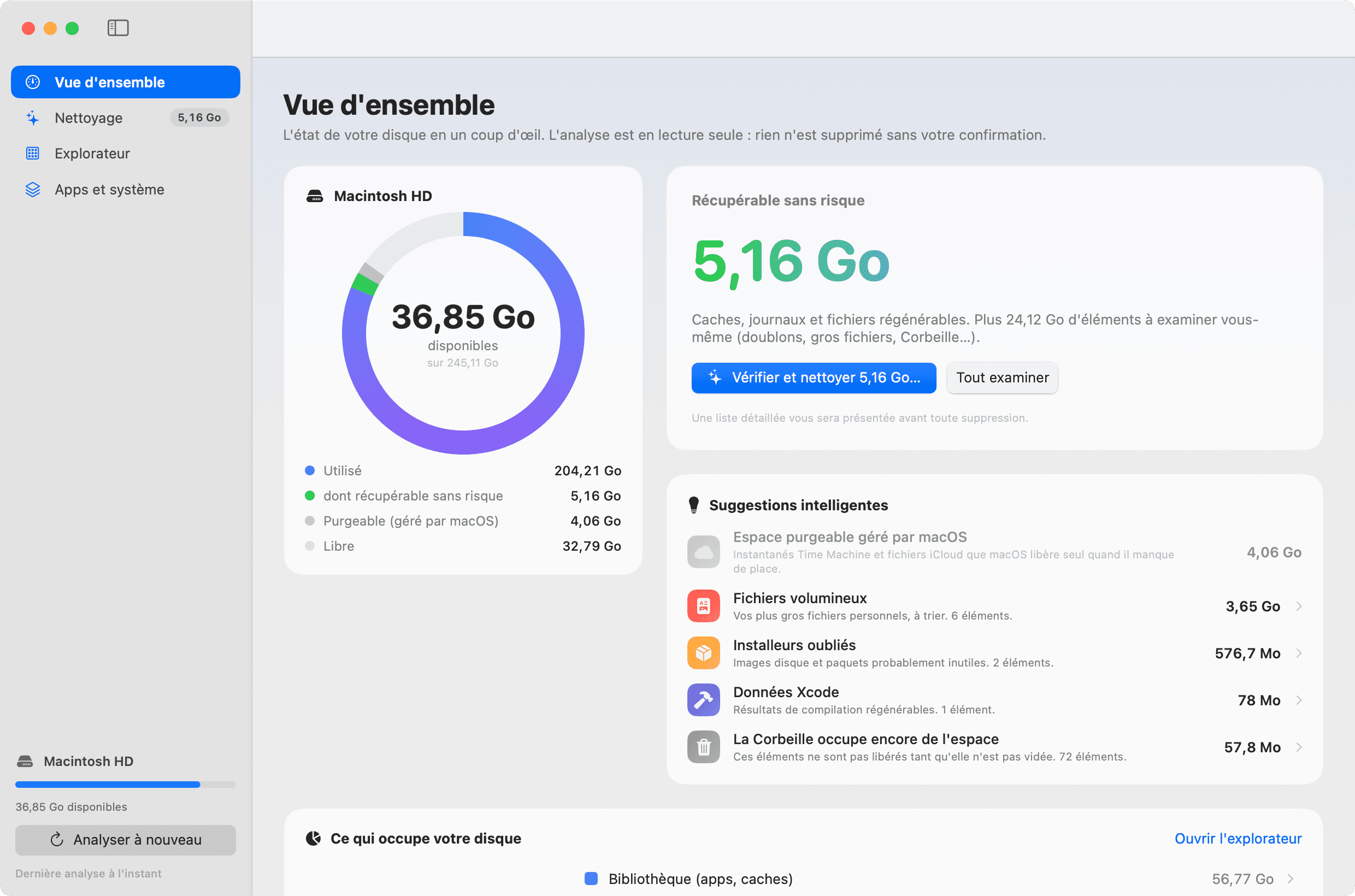
I wanted to see what was filling up my disk and free up space, without an app deleting anything behind my back. With Cleaner, every item is explained.
Try it with the demo below.
Overview
Your disk at a glance. The scan is read-only: nothing is deleted without your confirmation.
Macintosh HD
- Used
- 204.21 GB
- of which safely recoverable
- 10.27 GB
- Purgeable (managed by macOS)
- 4.06 GB
- Free
- 36.84 GB
Safely recoverable
10.27 GB
Caches, logs and regenerable files. The rest is for you to review (duplicates, large files, Trash…).
You'll see a detailed list before anything is deleted.
Smart Suggestions
Interactive demo: the items are fictional, and nothing gets deleted.
Read-only
The scan changes nothing. Every deletion goes through a list to check, path by path, then a confirmation.
Everything explained
Each item shows where it lives, what it's for and what happens if you delete it.
The right method
What regenerates (caches, logs) is erased. Personal files go to the Trash, where you can still recover them.
What Cleaner does
- OverviewThe disk ring (used, recoverable, purgeable, free), the space you can safely recover, and smart suggestions.
- Cleanup13 categories ranked by risk level, each with “What it is”, “Location” and “If you delete”.
- ExplorerA two-level map of your disk, with specific advice for more than 30 kinds of locations.
- Apps and systemWhere every GB goes, your apps with their data and when you last opened them, and every system area explained.
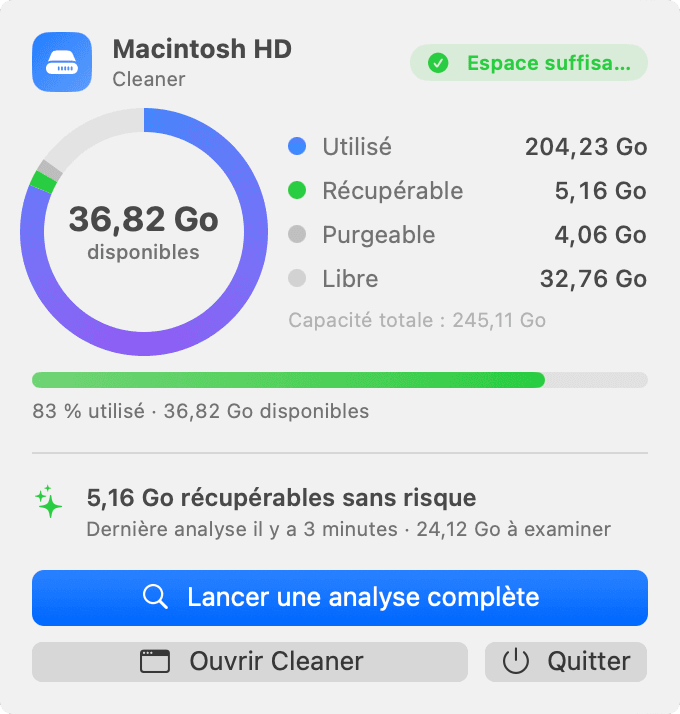
- Menu barFree space always in view, an alert when it runs low, and a scan in one click.
- Command-line mode“Cleaner --report”: a full report in Terminal, with no interface and nothing deleted.
How it decides
- Careful by defaultOnly safe items are preselected; everything else is suggested, never forced.
- Open appsTheir caches are never preselected; those of an uninstalled app are flagged.
- Safe duplicatesSize, partial hash, then SHA-256: one copy is always kept.
- Inactive projectsnode_modules folders are only suggested after 90 days without project activity.
- iCloud filesFiles that aren't downloaded are never read, so no download is ever triggered.
- Protected locationsHome folder, Documents, iCloud Drive, Keychains… always refused, even on request.
50 s
to scan 1.3 million files
13
cleanup categories, ranked by risk level
0
deletions without my explicit confirmation
The stack behind my apps.
- SwiftApple's programming language for iOS and macOS apps.
- SwiftUIApple's framework for building iOS and macOS app interfaces.
- Expo / React NativeFramework for building an iOS and Android app from a single React Native codebase.
- FirebaseGoogle's platform for mobile apps: database, notifications, analytics.
- TypeScriptJavaScript with types, checked before the code runs.
- SupabasePlatform providing a PostgreSQL database, authentication and file storage.
- Apple VisionApple's on-device image analysis framework: text, faces, background removal.
- FFmpegTool for converting, trimming and compressing audio and video files.
- PandocTool for converting documents between formats: Word, Markdown, EPUB, HTML.
- GitHubCode hosting platform: version history, reviews and automated deployments.
Got a mobile or macOS app in mind?
A free, no-commitment conversation.